

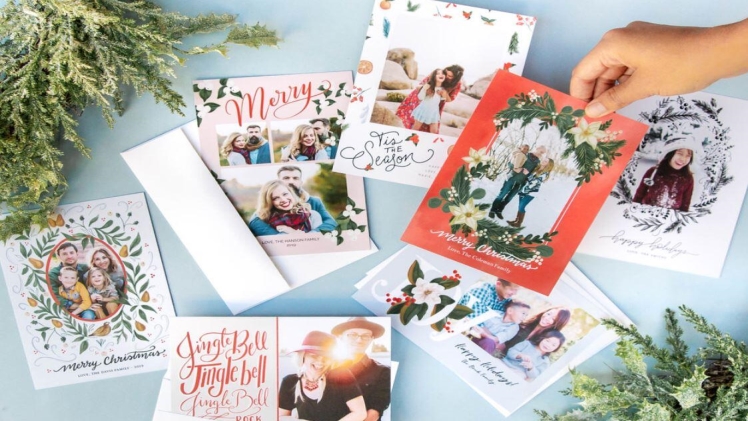
Sending Christmas cards to friends and family is an old-time tradition that you can practice to date. It is a simple way to show appreciation and love to those who are meaningful in your life. With so many places to purchase the best photo Christmas cards, the process should not be stressful. And although Christmas cards may be readily available in stores, personalized ones with handwritten messages are more symbolic. The following are steps to guide you as a beginner or second-time user on Mixbook.
Organize photos
Having your photos in place before starting your project will save you much time. The images you choose may include those of relatives, friends, and other people you may want to send the cards to. As the cards will be sent out to respective people, be sure you use their favorite images. The photos should be of high quality to avoid warping and blurred prints after printing.
Select a theme
For starters, it is apparent that you need an internet connection to log in to an online platform such as Mixbook. There are numerous featured occasions for you to choose from, depending on your card’s purpose. You can select a theme of yours which can be changed mid-way if you change your mind. To delve into your creative side, you can choose a blank page as it gives you full charge and offers endless possibilities.
Decide on your card shape, size, paper, and cover style
After deciding on a blank page or choosing a theme, you will be directed to a page where you can customize your card. Here, you can decide on the size of cards you want, type of paper, shape, and cover style. Choosing what is right for you depends on your creative eye and your expectations of the final product. If you are uncertain about the cover style or type of paper you want for your card, you can adjust these options later. However, if you change the card from landscape to portrait and vice versa mid-project, you may need to adjust the existing content on your project.
Choose and upload your photos of choice
You might not need to select photos over again if you had done that as advised in the first step. Upload the photo you want to appear on your card. The photo editor on Mixbook alerts you if the quality of your images is poor. Keep in mind your end goal when uploading images for your Christmas card.
Customize your card
With different tools and templates for your use, you can select a background color of your choice, size, and font type. Here is where you get creative and have a chance to personalize the cards as much as you can. You can add some holiday sayings or any other message you wish to include. The Christmas stickers available will make your cards more appealing to your recipients.
Preview your project
This is the final step which is also very important before adding your product to the cart. You want to ensure no miss-spellings, incorrect dates, and improper use of images before printing out your final product.
When the hard copy of the cards is ready, you can write down some words on each of them to add a personal touch to them.
